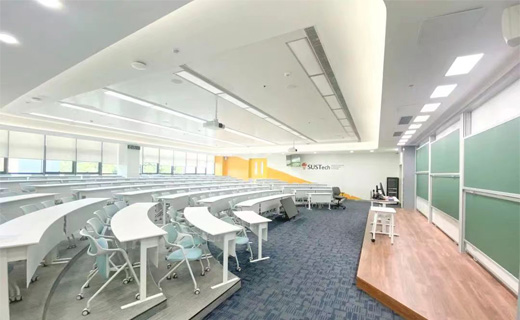
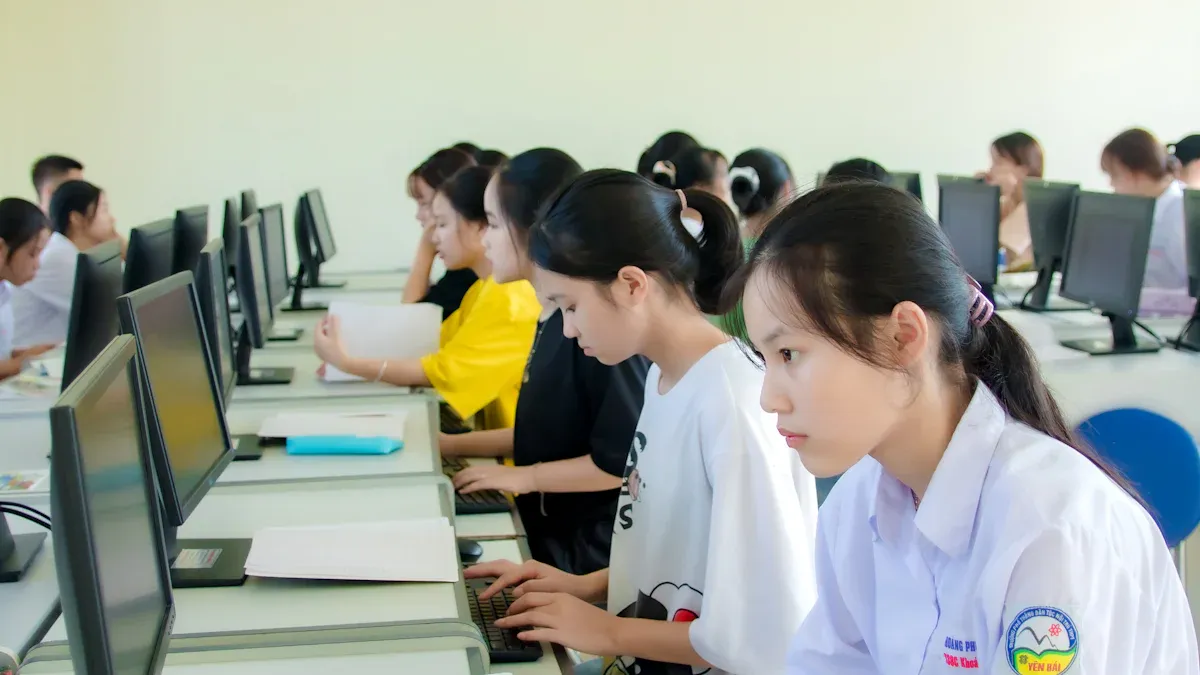
A hybrid classroom blends in-person and online learning, offering a flexible and inclusive environment. In 2025, this model has become vital for adapting to diverse student needs and modern educational demands. Studies reveal that 82% of students favor hybrid learning over traditional methods, while 73% of teachers report improved engagement in such settings. With the right hybrid classroom equipment, you can create an interactive and effective space that caters to both physical and virtual learners. This approach not only enhances academic outcomes but also prepares students for a technology-driven future.
Key Takeaways
Hybrid classrooms are flexible. Students can pick in-person or online learning. This choice helps them do better in school.
Inclusivity matters. Hybrid classrooms support different learning styles and needs. This helps every student join and succeed.
Technology makes learning fun. Tools like smart boards and live quizzes keep students interested and active.
Buying tech that can grow and improve is smart. It helps hybrid classrooms stay ready for future changes.
Teachers and students need training and help. This makes hybrid learning tools work their best.
Benefits of a Hybrid Classroom
Flexibility for students and teachers
Hybrid classrooms offer unmatched flexibility, allowing you to tailor learning experiences to individual needs. Students can attend classes in person or online, depending on their circumstances. Teachers also benefit from adaptable schedules, which help them balance professional and personal responsibilities.
Research highlights the positive impact of flexibility on education. For example:
This adaptability ensures that both students and teachers can thrive in a hybrid learning environment.
Inclusivity for diverse learning needs
A hybrid classroom creates an inclusive space where every student can succeed. You can accommodate different learning styles, whether visual, auditory, or kinesthetic. Students with disabilities or those who face geographical barriers can participate equally through online tools and resources.
Nearly 98% of hybrid school teachers report being satisfied with their roles, partly because they can address diverse needs effectively. Additionally, 95.8% of teachers agree that their colleagues share a unified mission to support all learners. This shared commitment fosters a supportive and inclusive educational environment.
Enhanced engagement through technology
Technology transforms hybrid classrooms into dynamic learning spaces. Tools like interactive displays, real-time quizzes, and collaborative platforms keep students actively involved. You can monitor progress instantly and provide immediate feedback, which boosts learning outcomes.
“The technology allows me to see exactly where each student stands in real-time. I can intervene immediately rather than waiting for assessment results.” - Middle School Math Teacher
The results speak for themselves. Schools using hybrid models report an 8-12% increase in graduation rates, 15-30% gains in test scores, and a 5-7% improvement in attendance.
“Students who never participated in class discussions are now actively engaged through digital collaboration tools. They’ve found their voice.” - High School English Teacher
By leveraging technology, you can create a classroom where every student feels motivated to learn and succeed.
Cost-effectiveness and scalability
Hybrid classrooms offer a cost-effective solution for modern education. By integrating digital tools and platforms, you can significantly reduce expenses associated with traditional learning environments. Studies show that digital learning platforms lower costs per student by 25% to 30%. This reduction stems from replacing physical resources like textbooks and printed materials with digital formats. As a result, schools save money on operational costs, including infrastructure and supplies.
Scalability is another major advantage of hybrid classrooms. Digital platforms allow you to add new students with minimal additional costs. Unlike traditional classrooms, which require more physical space and resources as enrollment grows, hybrid models expand effortlessly. This makes them ideal for schools and institutions planning to accommodate more learners without straining their budgets.
"The scalability of hybrid classrooms ensures that no student is left behind, even as enrollment numbers rise."
Additionally, hybrid classrooms reduce the need for frequent upgrades to physical infrastructure. Instead of investing in new buildings or furniture, you can allocate resources to improving digital tools and software. This shift not only saves money but also ensures that your classroom stays up-to-date with the latest technology.
By adopting a hybrid model, you create a sustainable and affordable learning environment. The combination of cost savings and scalability makes it easier to provide quality education to a larger number of students. This approach ensures that your classroom remains both efficient and future-ready.
A high-quality camera is essential for hybrid classrooms. It ensures that remote students can clearly see the teacher, the classroom, and any visual aids used during lessons. Cameras with HD resolution and wide-angle lenses provide sharp images and a broad field of view, making them ideal for capturing classroom activities.
The Logitech C270 HD Webcam stands out for its vivid video quality and accurate color reproduction. Its durability and ease of use make it a reliable choice for educators. This camera is particularly effective for subjects like art and science, where visual clarity is crucial.
When selecting a camera, prioritize features like autofocus, low-light performance, and compatibility with hybrid learning software. These features enhance the overall experience for both teachers and students.
Advanced microphones and audio systems
Clear audio is just as important as video in hybrid classrooms. Advanced microphones and audio systems ensure that every word spoken by the teacher or students is heard by remote participants. The Catchbox Plus system is a great example of effective audio equipment. It includes a presenter microphone for teachers and a throwable audience microphone for students. This setup promotes interaction and engagement, allowing students to communicate seamlessly with their peers online.
The system’s plug-and-play design simplifies installation, making it accessible for educators. Its rechargeable batteries provide uninterrupted use throughout the school day. With this type of audio equipment, you can create a classroom environment where everyone feels connected, regardless of their location.
Interactive displays and projectors
Interactive displays and projectors transform traditional teaching methods into engaging experiences. These tools allow you to present lessons visually, annotate content in real time, and encourage collaboration among students. Modern interactive displays often include touchscreens, enabling students to interact directly with the material. Projectors with high brightness and resolution ensure that visuals are clear, even in large classrooms.
The global EdTech market, projected to reach $598.82 billion by 2032, highlights the growing demand for technologies like gamification, AI, and immersive VR/AR learning. These advancements make interactive displays and projectors even more valuable in hybrid classrooms. By integrating these tools, you can create a dynamic learning environment that caters to diverse student needs.
Reliable hybrid learning software platforms
Reliable hybrid learning software platforms are the backbone of any successful hybrid classroom. These platforms help you bridge the gap between in-person and remote learners, ensuring everyone stays connected and engaged. They provide tools for video conferencing, content sharing, and real-time collaboration, making it easier to manage both physical and virtual classrooms.
When choosing a platform, look for features like user-friendly interfaces, compatibility with various devices, and robust security measures. Platforms such as Microsoft Teams, Zoom, and Google Classroom have become popular due to their reliability and versatility. They allow you to host live classes, share assignments, and track student progress seamlessly. Some platforms even offer built-in analytics to help you identify areas where students may need additional support.
Tip: Choose a platform that integrates well with your existing hybrid classroom equipment to avoid technical issues and ensure a smooth learning experience.
Additionally, many platforms now include AI-powered features like automated attendance tracking and personalized learning recommendations. These tools save time and enhance the overall efficiency of your classroom. By selecting the right software, you can create a cohesive and interactive learning environment that meets the needs of all students.
Emerging technologies like AI-powered tools and AR/VR solutions
Emerging technologies like AI-powered tools and AR/VR solutions are transforming hybrid classrooms. These innovations make learning more interactive and personalized, helping you engage students in ways that traditional methods cannot.
AI tools analyze real-time student performance to adapt lessons to individual needs. For example, they can recommend additional resources for students who struggle with specific topics or provide advanced materials for those who excel. This personalized approach improves learning outcomes and keeps students motivated.
AR and VR technologies take engagement to the next level by creating immersive learning experiences. Imagine teaching history through a virtual tour of ancient civilizations or explaining complex scientific concepts using 3D models. These tools make abstract ideas tangible, enhancing understanding and retention. The growing AR/VR market in education reflects their increasing importance, with mobile-based AR applications making these technologies accessible even in resource-limited settings.
AR/VR tools democratize education by providing high-quality learning experiences to students in under-resourced areas.
AI-powered platforms enhance engagement by tailoring content to each student's learning style.
These technologies bridge geographical divides, ensuring all students receive equal opportunities to learn.
By integrating AI and AR/VR into your hybrid classroom, you can revolutionize your teaching methods. These tools not only make lessons more engaging but also prepare students for a future where technology plays a central role in education.
Step-by-Step Guide to Setting Up a Hybrid Classroom
Evaluate current classroom technology
Start by assessing the technology already available in your classroom. This step helps you identify gaps and determine what upgrades are necessary for a hybrid setup. Use diagnostic tools like the Intelligent Diagnostic Assessment Platform (i-DAP) to evaluate your current resources. These tools provide real-time feedback and adjust difficulty levels based on student needs, ensuring your technology aligns with educational goals.
Develop an online formative assessment product for non-AP statistics courses
Feedback
Provides real-time feedback to students and teachers
Adaptability
Adjusts difficulty based on individual student levels
Demand
Addresses the need for quality statistics education in high school
Monthly assessments and on-demand evaluations can also help you monitor progress and maintain a consistent stream of actionable data. By understanding your current technology’s strengths and weaknesses, you can make informed decisions about upgrades.
Choose compatible and scalable tools
Select tools that are both user-friendly and scalable. Compatibility ensures seamless integration with your existing setup, while scalability allows your classroom to grow without performance issues. Focus on technologies that support diverse teaching styles and subjects, such as digital textbooks, learning management systems, and collaborative workspaces.
User-friendly tools: Simplify adoption for teachers and students.
Scalable solutions: Handle increased users or data effortlessly.
Flexible platforms: Customize features to fit your teaching needs.
For example, video conferencing tools like Zoom and Microsoft Teams offer robust features for hybrid learning. Collaborative platforms like Google Workspace enable real-time interaction, making them ideal for group projects and discussions. By choosing adaptable tools, you create a classroom that evolves with your needs.
Optimize the physical and digital environment
Design your classroom to support both in-person and virtual learners. Optimize the physical layout by creating distinct learning zones that enhance focus and engagement. Flexible seating arrangements and intentional design promote collaboration and autonomy, as seen in Montessori and Reggio Emilia-inspired classrooms.
Child-centered layouts improve problem-solving and social interaction.
Environmental Psychology Studies
Flexible layouts enhance attention span and engagement.
The Reggio Emilia Approach
Design fosters creativity and inquiry-based learning.
In the digital space, ensure your tools are accessible and easy to navigate. Platforms like Istation’s ISIP™ assessments automate testing and provide actionable feedback, helping students and teachers stay connected. By optimizing both environments, you create a seamless hybrid learning experience that benefits everyone.
Test and integrate hardware and software
Testing and integrating hardware and software is a crucial step in setting up a hybrid classroom. You need to ensure that all tools work together seamlessly to provide a smooth learning experience for both in-person and remote students. Start by testing each piece of equipment individually, such as cameras, microphones, and interactive displays. Then, test how these devices interact with your chosen hybrid learning software.
For example, Columbia University has successfully equipped classrooms with video cameras and microphones to support hybrid learning. Their School of Social Work reported effective integration of remote participation in face-to-face classes. Experienced instructors also recommend focusing on community building and managing technology during lessons. The table below summarizes these insights:
Remote participation in face-to-face classes was successfully integrated.
Recommendations
HyFlex instructors emphasize community building and tech management.
After testing, conduct a trial run with a small group of students and teachers. This allows you to identify and resolve any technical issues before full implementation. Regularly update your hardware and software to maintain compatibility and improve performance.
Ensure seamless connectivity for hybrid learning
Reliable connectivity is the backbone of a hybrid classroom. Without it, remote students may face disruptions, leading to a poor learning experience. You should invest in a robust network infrastructure that supports high-speed internet and consistent wireless access.
Several institutions have set benchmarks for seamless connectivity. For instance:
Catholic Education Network improved bandwidth by over 400% across 596 schools, enhancing access to digital learning platforms.
Additionally, CableLabs has launched a working group to address connectivity challenges in education. They focus on leveraging 5G technology to ensure reliable connections for hybrid classrooms. By adopting similar strategies, you can create a stable and efficient learning environment. Prioritize network security and scalability to accommodate future growth and technological advancements.
Training and Support for Hybrid Classrooms
Train teachers to use hybrid tools effectively
Teachers play a vital role in the success of hybrid classrooms. To use hybrid tools effectively, they need proper training. You can organize workshops and hands-on sessions to familiarize teachers with the latest technologies. For example, hybrid formats have proven to be effective alternatives to traditional teaching. They allow teachers to use online tools that offer flexibility in scheduling and encourage balanced participation from all students, including those who are introverted.
Incorporating varied resources, such as videos and interactive platforms, enhances the learning experience. Training programs should also include strategies for integrating assessments. Combining self, peer, and teacher assessments helps students develop lifelong skills while reducing teacher workload. The table below highlights some effective assessment methods:
Assessment Type
Description
Online discussion and conference
Facilitates effective dialogues and critical thinking in hybrid settings.
Digital summative assessment
Redesigns knowledge-based tests to focus on higher-order thinking skills.
Digital performance-based tests
Allows students to showcase learning through presentations and other formats.
By equipping teachers with these skills, you ensure they can confidently manage hybrid classroom equipment and create engaging lessons.
Provide students with guidance on hybrid resources
Students also need guidance to navigate hybrid learning environments. Clear learning outcomes help them stay focused, but many students struggle to connect their efforts to these goals. You can address this by personalizing learning experiences. Differentiated resources, such as videos and interactive tools, cater to diverse learning styles and keep students engaged.
Timely feedback is another critical component. Instead of just grading assignments, focus on coaching students. This approach helps them understand their progress and areas for improvement. For example, providing specific feedback during online discussions encourages participation and critical thinking. By guiding students effectively, you create a supportive environment where they can thrive.
Partner with professional service providers
Collaborating with professional service providers can enhance your hybrid classroom setup. AI-powered tools, for instance, complement traditional teaching methods by offering personalized guidance. Case studies show that students using AI tutors experience academic performance gains of up to 15 percentile points. These tools also reduce teacher workload by automating tasks like grading and attendance tracking.
The table below highlights some successful partnerships:
Case Study
Findings
Real-World Case Studies of Human-AI Collaboration
Significant learning improvements with AI tutors complementing traditional teaching methods.
AutoTutor Implementation
Engages students in natural language, providing personalized guidance and immediate feedback.
Craig et al. Study
Students using AI tutoring systems showed academic performance gains of up to 15 percentile points.
By partnering with experts, you can access cutting-edge solutions that improve both teaching and learning experiences. These collaborations ensure your hybrid classroom remains innovative and effective.
Establish ongoing technical support
Reliable technical support is essential for maintaining a successful hybrid classroom. You need a system that ensures all tools and technologies function smoothly. Without ongoing support, even minor technical issues can disrupt learning and frustrate both teachers and students.
Start by setting up a dedicated help desk or support team. This team should handle troubleshooting, software updates, and hardware maintenance. Quick response times are critical. When issues arise, resolving them promptly minimizes disruptions. Support staff should also monitor the performance of your hybrid tools to identify potential problems before they escalate.
Tip: Train your support team to address common technical challenges. This reduces downtime and keeps your classroom running efficiently.
Tracking key performance indicators (KPIs) helps you measure the effectiveness of your technical support. Focus on metrics like customer satisfaction with help desk responses, response times, and the number of resolved support tickets. These KPIs provide valuable insights into the quality of your support system. For example:
Customer satisfaction with help desk responses
Staff response times to technical issues
Total number of resolved support tickets
Onboarding new teachers and students is another critical aspect of technical support. Ensure they complete training programs that familiarize them with hybrid tools. Monitor training completion rates and gather feedback to improve the onboarding process. High satisfaction rates among new users indicate a successful support system.
By establishing ongoing technical support, you create a stable and efficient hybrid classroom. This ensures that both teachers and students can focus on learning without worrying about technical difficulties.
Best Practices for Future-Proofing Hybrid Classrooms
Investing in scalable and upgradeable technology ensures your hybrid classroom remains effective as educational needs evolve. Scalable tools allow you to accommodate more students without compromising performance. Upgradeable systems help you stay current with technological advancements. For example, cloud-based platforms are becoming essential for hybrid learning. Global spending on cloud services is expected to reach $1.3 trillion by 2025. This trend reflects the growing reliance on scalable solutions for operational flexibility.
Many educational leaders are prioritizing digital transformation. By 2025, 75% of them plan to fully integrate these initiatives. This shift highlights the importance of choosing tools that adapt to future demands. When selecting hybrid classroom equipment, focus on technologies that support long-term growth. Partnering with experienced audio-visual companies can also help you optimize your setup for scalability.
Regularly update software and hardware
Regular updates to software and hardware keep your hybrid classroom running smoothly. Outdated systems can lead to compatibility issues and security vulnerabilities. Updating ensures your tools remain efficient and secure. For instance, many schools now use AI-powered platforms to personalize learning. These tools require frequent updates to maintain their effectiveness.
Updating hardware is equally important. Devices like interactive displays and projectors should meet modern standards for performance and reliability. Schools that prioritize updates often experience fewer technical disruptions. This practice also helps you take advantage of new features that enhance the learning experience. By staying proactive, you can ensure your classroom remains a leader in hybrid education.
Ensure compatibility with emerging technologies
Emerging technologies like AI and AR/VR are transforming education. Ensuring compatibility with these tools prepares your classroom for the future. AI-powered platforms analyze student performance and adapt lessons to individual needs. AR/VR solutions create immersive learning experiences, making complex topics easier to understand.
To future-proof your classroom, choose tools that integrate seamlessly with these innovations. For example, cloud platforms provide the flexibility needed to adopt new technologies. Many CIOs are prioritizing cost optimization in 2025, with 67% focusing on cloud solutions. This approach not only reduces costs but also supports the adoption of cutting-edge tools. By planning for compatibility, you can create a classroom that evolves with technological advancements.
Gather feedback to improve the setup
Feedback plays a vital role in improving your hybrid classroom setup. It helps you identify what works well and what needs adjustment. By gathering input from students and teachers, you can create a more effective and engaging learning environment.
You can collect feedback in several ways. Formative feedback allows you to make adjustments during the course, while summative feedback provides insights at the end. Both types are essential for continuous improvement. For example, students in a hybrid classroom often participate in breakout group discussions after answering questions. This process helps them clarify their understanding and refine their responses. Tools like Plickers enable you to gather immediate feedback on student comprehension. This information highlights areas that need more attention and helps you adapt your teaching methods.
Tip: Use tools that make feedback collection easy and accessible for all students. Ensure every voice is heard.
Here are some effective feedback collection methods:
Conduct anonymous surveys to encourage honest responses.
Use digital tools like polls or quizzes to gather real-time input.
Hold one-on-one check-ins to understand individual challenges.
When you receive feedback, address it thoughtfully. Students and teachers feel valued when their suggestions lead to visible changes. This fosters a collaborative atmosphere where everyone contributes to the classroom's success. Regularly reviewing and acting on feedback ensures your hybrid setup evolves to meet the needs of all learners. By prioritizing feedback, you create a classroom that continuously improves and adapts to future challenges.
Hybrid classrooms have become essential in 2025, offering flexibility and inclusivity for modern education. The right hybrid classroom equipment transforms learning spaces into dynamic environments that support both in-person and remote students. By investing in future-proof solutions, you can ensure your classroom adapts to evolving technologies and educational needs. This approach not only enhances learning outcomes but also prepares students for a technology-driven future.
Click the button to contact us for more information