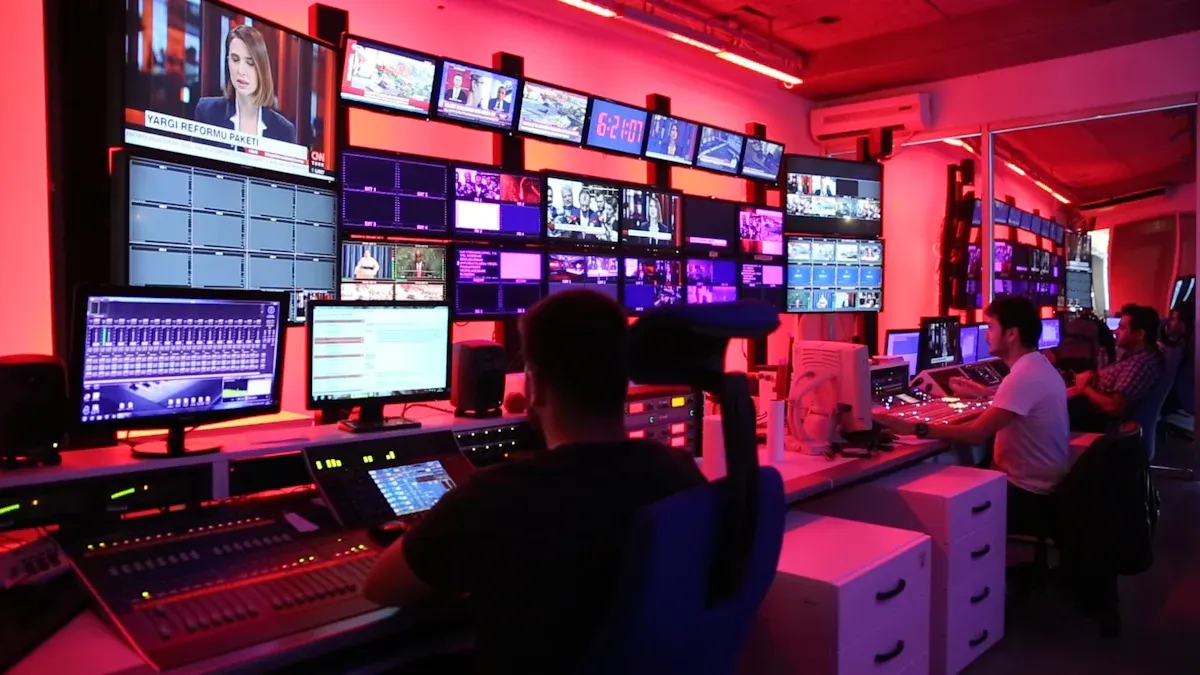
Imagine a system that connects every corner of your campus with just a click. That’s exactly what a campus video direct broadcasting system does. It’s a powerful tool designed to share live videos, announcements, and events across classrooms, auditoriums, or even dormitories. You can think of it as a bridge that brings everyone together, no matter where they are on campus.
This system isn’t just about convenience. It transforms how schools communicate and learn. From live-streaming lectures to broadcasting emergency updates, it ensures everyone stays informed and engaged. It’s like giving your campus a voice that reaches everyone instantly.
Key Takeaways
A campus video system lets everyone share live videos and news.
It helps people get updates fast, so no one misses important info.
Students can watch live classes or events from anywhere and replay them later.
This system saves money by cutting down on big event spaces and travel.
Setting it up needs good planning, training, and a strong network for safety.
How a campus video direct broadcasting system works
Understanding how a campus video direct broadcasting system works can help you see its potential to transform communication and learning. Let’s break it down step by step.
Key components of the system
Hardware requirements
To get started, you’ll need some essential hardware. This includes cameras for capturing video, microphones for clear audio, and display devices like projectors or smart TVs to share the broadcasts. A central broadcasting station ties everything together, allowing you to control what gets streamed and where. High-definition cameras and digital audio mixers ensure your broadcasts look and sound professional.
Software and platform integration
The software is where the magic happens. It connects all the hardware and makes the system easy to use. With platforms like iDste’s Campus Video Live Broadcasting System, you can manage everything from a single interface. Features like one-click broadcasting, local previews, and scheduled content integration make it simple to operate. Plus, the software supports group or point-to-point broadcasting, so you can tailor your message to specific audiences.
Operational process
Setting up and managing broadcasts
Setting up a broadcast is straightforward. You just connect your camera and microphone to the broadcasting station, select your target audience, and hit the broadcast button. The system’s user-friendly interface ensures you don’t need to be a tech expert to manage it. You can even schedule broadcasts in advance, so important announcements or lectures play automatically.
Cloud monitoring and remote management
With cloud monitoring, you can oversee broadcasts from anywhere. This feature lets you check the status of classrooms or events in real time. Remote management tools also allow you to make adjustments on the fly, ensuring everything runs smoothly without needing to be physically present.
Network and infrastructure needs
Internet bandwidth and security considerations
A reliable network is the backbone of any campus video direct broadcasting system. High-speed Ethernet connections are crucial for transmitting video over IP networks, especially for long distances. The system compresses video using standards like MPEG-2 or H.264, making it efficient for distribution. For short distances, technologies like ASI can be used. Security is equally important. You’ll want to ensure your network is protected to prevent unauthorized access to your broadcasts.
Benefits of a campus video direct broadcasting system
Enhanced communication and engagement
Real-time announcements and updates
Imagine being able to share important updates with everyone on campus instantly. A campus video direct broadcasting system makes this possible. Whether it’s a change in the class schedule or an urgent safety alert, you can broadcast messages in real time. This ensures no one misses out on critical information. It’s like having a campus-wide megaphone, but much more efficient and less disruptive.
Targeted group or point-to-point broadcasting
Sometimes, you don’t need to reach everyone—just a specific group. This system lets you do that effortlessly. You can send targeted broadcasts to a single classroom, a department, or even a dormitory. This feature is perfect for tailored communication, like sharing updates with faculty or broadcasting a special seminar to a specific group of students.
Improved learning experiences
Live-streamed lectures and events
Live-streaming takes learning to the next level. Students can join lectures or events from anywhere, whether they’re at home or on the go. This fosters real-time interaction through chat functions and video calls, making learning more dynamic. It also eliminates the limitations of traditional classroom settings, allowing students to engage with instructors and peers in new ways. Plus, live-streaming reduces costs by cutting down on the need for physical materials and travel.
Access to recorded sessions for review
Missed a lecture? No problem. With this system, you can record sessions and make them available for later viewing. This is a game-changer for students who want to revisit complex topics or catch up on missed classes. It’s like having a personal tutor available 24/7, helping you learn at your own pace.
Cost and resource efficiency
Reducing event management costs
Organizing events can be expensive. A campus video direct broadcasting system helps you save money by reducing the need for large venues and printed materials. You can broadcast events directly to classrooms or dorms, cutting down on logistical expenses. This makes it easier to host more events without breaking the bank.
Minimizing travel and logistics expenses
Traveling for meetings or training sessions can be both costly and time-consuming. With this system, you can eliminate those expenses. Faculty and students can participate in discussions and complete coursework from anywhere, even on their smartphones. This not only saves money but also makes education more accessible and flexible.
Challenges of implementing the system
Even though a campus video direct broadcasting system can transform communication and learning, setting it up comes with its own set of challenges. Let’s explore some of the hurdles you might face and how to tackle them.
Technical and operational difficulties
System malfunctions and network outages
Technology isn’t perfect, and you might encounter issues like system malfunctions or network outages. Reliable and low-latency video feeds are essential for smooth broadcasts. If the system lags or crashes, it can disrupt important events or lectures. To avoid this, you’ll need a robust network and backup systems in place. Interoperability with existing campus infrastructure is also crucial. Ensuring all devices work together seamlessly can save you from headaches later.
Ensuring data security and privacy
Broadcasting systems handle sensitive information, so keeping data secure is a top priority. Unauthorized access or data breaches can compromise privacy. You’ll need strong encryption and secure login protocols to protect your system. Collaboration among IT teams and administrators can help create a secure environment. Regular audits and updates will also keep your system safe from potential threats.
Financial considerations
Initial setup and maintenance costs
Installing a broadcasting system isn’t cheap. You’ll need to invest in cameras, microphones, and software licenses. Maintenance costs can add up over time, especially if you need to upgrade hardware or fix technical issues. Planning your budget carefully and exploring cost-effective options can help you manage these expenses.
Budget constraints for smaller campuses
Smaller campuses often have limited budgets, making it harder to afford advanced systems. However, you can start small by focusing on essential features and scaling up later. Look for systems that offer flexibility and don’t require a massive upfront investment. Grants or partnerships with tech companies might also ease the financial burden.
User training and adoption
Training staff and students
Introducing new technology means you’ll need to train everyone to use it effectively. Regular training sessions can help staff and students feel confident with the system. For example, conducting safety drills can prepare users for emergencies while teaching them how to operate the system. A centralized device management system can also simplify communication during these drills.
Overcoming resistance to new technology
Not everyone embraces change easily. Some people might resist using the new system, especially if they’re unfamiliar with it. To overcome this, focus on showing the benefits. Highlight how the system makes communication easier and learning more accessible. Gradual implementation and ongoing support can also help users adapt without feeling overwhelmed.
Applications in real-world campus settings
Live lectures and classroom streaming
Supporting hybrid and remote learning models
The campus video direct broadcasting system plays a vital role in supporting hybrid and remote learning. It allows students to attend live lectures from anywhere, whether they’re at home or traveling. This flexibility ensures that no one misses out on important lessons. Schools can also use the system to stream daily announcements or special events, keeping everyone connected.
Here’s a quick look at how schools are using this technology:
Application Type
Description
Live Streaming Events
Schools use video broadcasting systems to stream live events such as athletic competitions and graduation ceremonies.
Daily Announcements
Schools like Griswold Elementary produce daily morning announcements streamed live and on-demand.
Student Engagement
Video production enhances student engagement, allowing students to participate in creating content.
Enhancing accessibility for students
This system makes education more accessible. Students with disabilities or those unable to attend in person can still participate in lectures and activities. Recorded sessions also allow students to review lessons at their own pace, ensuring everyone has equal opportunities to learn.
Event and activity broadcasting
Streaming campus events to wider audiences
Broadcasting systems let you share campus events with a broader audience. Parents, alumni, and even prospective students can tune in to watch athletic games, cultural programs, or graduation ceremonies. This creates a sense of community and keeps everyone involved, no matter where they are.
Facilitating virtual participation
Not everyone can attend events in person. With live streaming, you can invite virtual participants to join the experience. Whether it’s a guest lecture or a student debate, this feature ensures inclusivity and expands the reach of your events.
Emergency communication
Real-time crisis management
In emergencies, quick communication is critical. As Sergeant Hector Guzman from LAPD noted, “It’s important to get information out to the community, and a reliable, high-quality stream makes it possible.” Broadcasting systems ensure that emergency updates reach everyone instantly, even in areas with limited connectivity.
The Los Angeles Fire Department used live video to update emergency teams during California wildfires.
After 9/11, agencies prioritized interoperable communication to improve collaboration during crises.
Ensuring campus safety and awareness
These systems enhance campus safety by reducing confusion and minimizing response times. Alerts and instructions can be sent out immediately, ensuring everyone knows what to do. Improved communication keeps students and staff informed, helping them stay safe during emergencies.
The campus video direct broadcasting system is more than just a tool; it’s a game-changer for schools. It simplifies communication, enhances learning, and makes campus operations more efficient. You can use it to share live lectures, broadcast events, or send emergency updates instantly. It’s like giving your campus a digital heartbeat that keeps everyone connected.
By adopting this system, you’re not just keeping up with technology—you’re transforming how your school communicates and learns. It’s a step toward a smarter, more engaged campus community. Are you ready to embrace the future of education?
FAQ
What is a campus video direct broadcasting system?
A campus video direct broadcasting system is a tool that lets you share live videos, announcements, and events across your campus. It connects classrooms, dorms, and auditoriums, making communication faster and more efficient.
How can this system improve learning?
It enhances learning by live-streaming lectures and events. Students can join remotely or review recorded sessions later. This flexibility helps everyone stay on track, even if they miss a class.
Is it hard to set up and use?
Not at all! Systems like iDste’s Campus Video Live Broadcasting System are designed to be user-friendly. With features like one-click broadcasting and remote management, you can start streaming with minimal effort.
What kind of equipment do I need?
You’ll need cameras, microphones, and display devices like smart TVs or projectors. A central broadcasting station ties everything together. High-speed internet ensures smooth streaming.
Can it handle emergencies?
Absolutely! The system lets you send real-time alerts during emergencies. Everyone on campus gets the information instantly, helping to keep students and staff safe.
Tip: Regularly test your system to ensure it’s ready for emergencies or important broadcasts.
Click the button to contact us for more information