Which types of smart classrooms are suitable for different universities
iDste
·2025.02.28
Blog
Smart classrooms are changing how education works, but not every setup fits every university. You need to think about your school’s size, budget, and what you want students to achieve. For example, interactive tools can boost engagement, while Learning Management Systems help create personalized learning paths. Collaborative tools also make group work easier and more fun. The types of smart classrooms available today range from simple setups to advanced tech hubs, so it’s all about finding the right match for your needs.
Key Takeaways
Smart classrooms use technology to make learning fun and interactive.
Simple smart classrooms work well for small universities. They are cheap and easy to set up.
Medium smart classrooms mix cost and features. They fit medium-sized universities best.
High-tech smart classrooms use the newest tools. They are great for big universities wanting to be innovative.
Smart classrooms must be accessible so all students can join and learn.
Overview of Smart Classrooms
What Are Smart Classrooms?
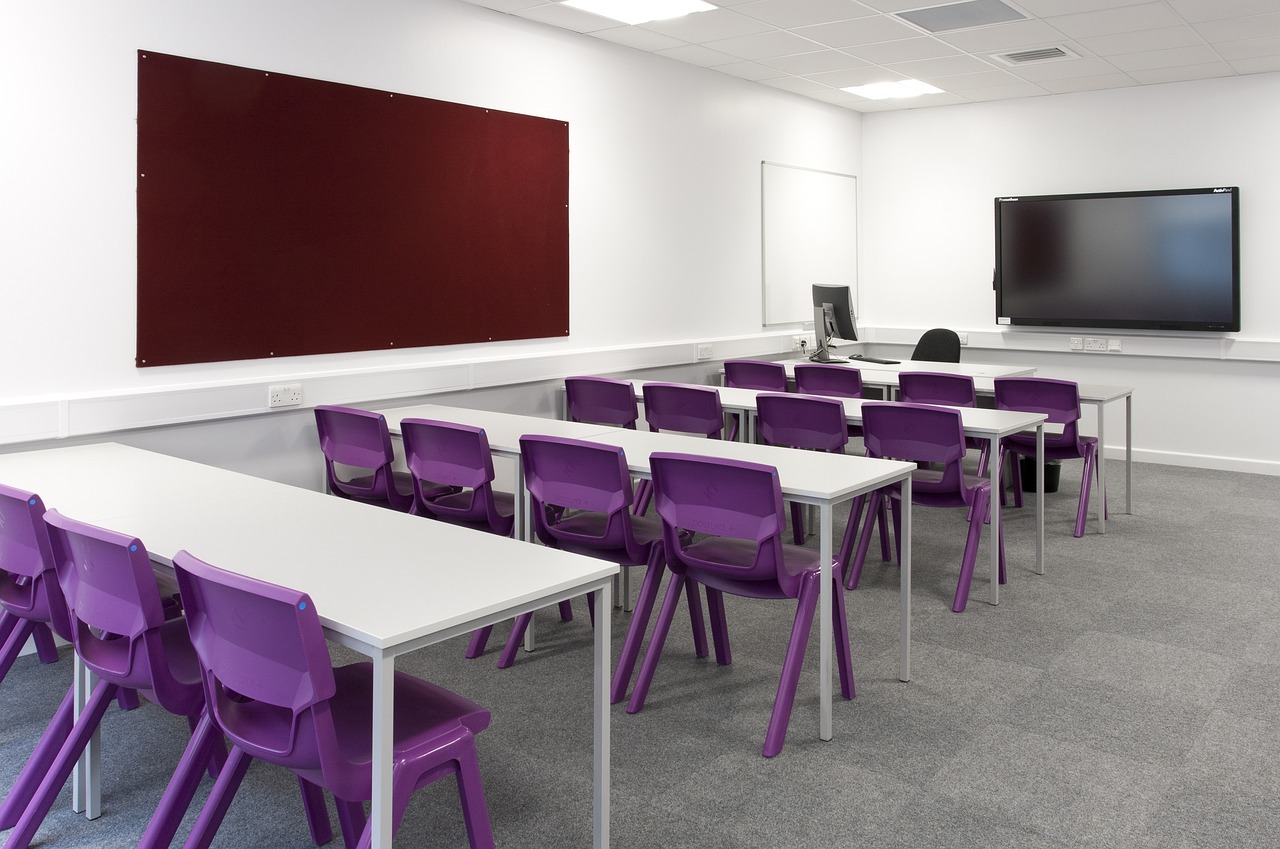
Smart classrooms are modern learning spaces equipped with advanced technology to make education more interactive and engaging. Unlike traditional classrooms, these spaces use tools like digital whiteboards, projectors, and tablets to enhance the teaching and learning experience. Imagine walking into a room where you can interact with multimedia content, collaborate with classmates in real time, and even explore virtual environments. That’s the magic of a smart classroom.
Interactive whiteboards, multimedia, and digital tools
Chalkboards and physical materials
Learning Experience
Engaging, interactive, and personalized
Static and reliant on traditional methods
Student Engagement
Higher due to interactive content
Often lower, depending on teaching methods
Flexibility
Adaptable to various learning styles
Less flexible and more rigid
Access to Resources
Instant access to digital resources
Limited to textbooks and physical materials
Benefits of Smart Classrooms
You might wonder, "Why are smart classrooms such a big deal?" Well, they bring a ton of benefits to the table. First, they make learning more engaging. A Gallup survey found that student engagement increased by 55% after schools adopted smart technology. That’s huge! Teachers can use tools like visual aids and interactive activities to make lessons more exciting and easier to understand.
Smart classrooms also save time. Lesson preparation and delivery become more efficient, giving teachers more time to focus on students. Plus, they’re great for collaboration. Students can work together on projects using shared digital platforms, making group work more dynamic and fun.
Why Universities Are Adopting Smart Classrooms
Universities are jumping on the smart classroom bandwagon for several reasons. For one, these classrooms offer a better learning experience. Visuals and interactive tools help students retain information more effectively. They also boost productivity. With technology, sharing data and resources becomes seamless, leading to better student involvement.
Another reason is the changing educational landscape. Universities need to keep up with trends like virtual reality and data-driven teaching methods. By adopting smart classrooms, they stay competitive and prepare students for a tech-driven world. It’s not just about keeping up; it’s about staying ahead.
Types of Smart Classrooms
Basic Smart Classrooms
If you're looking for a cost-effective way to introduce technology into your classrooms, basic smart classrooms are a great starting point. These setups usually include a projector or Smart TV, a computer, and pre-loaded digital content. They’re perfect for universities with limited budgets or smaller class sizes. You can use these tools to display presentations, videos, or other multimedia content, making lessons more engaging than traditional chalk-and-talk methods.
Here’s a quick comparison to see how basic smart classrooms stack up against more advanced options:
Basic Smart Classrooms
Intermediate Smart Classrooms
Advanced Smart Classrooms
Includes a projector or Smart TV, a computing device, and pre-loaded digital content. Ideal for schools with limited budgets.
Adds interactive features like touch-enabled displays and integrates with LMS for enhanced functionality.
Incorporates advanced technology such as Interactive Flat Panels, AI tools, and VR experiences for immersive learning.
Basic smart classrooms are simple but effective. They help you take the first step toward modernizing education without overwhelming your resources.
Intermediate Smart Classrooms
Intermediate smart classrooms take things up a notch. They include interactive touch-enabled displays and digital whiteboards, which let you interact directly with the content. These classrooms also integrate Learning Management Systems (LMS), making it easier to organize materials and track student progress. This setup strikes a balance between cost and functionality, making it ideal for medium-sized universities.
Why should you consider intermediate smart classrooms? They offer several advantages:
Interactive learning tools improve understanding and retention by 20%.
Student engagement increases significantly, with 75% of students reporting higher involvement compared to traditional classrooms.
Adaptive technologies cater to different learning styles, creating a more personalized experience.
If you want to boost engagement and make learning more interactive, intermediate smart classrooms are a solid choice.
Advanced Smart Classrooms
Advanced smart classrooms are where technology truly shines. These setups feature cutting-edge tools like virtual reality (VR), augmented reality (AR), and AI-driven learning systems. Imagine students exploring historical landmarks through VR or solving complex problems with AI assistance. These classrooms also include big data analytics, which helps you tailor teaching strategies based on student performance.
Here’s what you can expect in an advanced smart classroom:
Learning Management Systems for organizing and personalizing educational content.
Gamification tools to make learning fun and engaging.
5G technology for seamless online learning experiences.
Advanced smart classrooms are perfect for large universities or institutions aiming to lead in innovation. They enhance engagement, streamline teaching, and prepare students for a tech-driven future.
Student-Led Tech-Enabled Classrooms
Have you ever wondered what happens when students take the lead in their own learning? Student-led tech-enabled classrooms are all about empowering students to guide discussions, collaborate on projects, and explore ideas using technology. These classrooms flip the traditional teacher-centered model, giving students more control and responsibility. It’s a game-changer for fostering creativity and teamwork.
In these classrooms, technology plays a supporting role. Tools like shared digital platforms, interactive apps, and cloud-based collaboration software make it easy for students to work together. They can brainstorm ideas, share resources, and even co-create presentations in real time. This setup encourages active participation and helps students develop essential skills for the future.
Here’s why student-led classrooms are so effective:
They value each other's contributions, building positive group dynamics.
Meaningful discussions spark creativity and enhance collaboration.
When students take charge, they feel more invested in their learning. They’re not just passive listeners; they’re active participants. This approach also helps them build confidence. Presenting their ideas and leading discussions prepares them for real-world challenges. Plus, the use of technology keeps things engaging and fun.
If your university wants to encourage innovation and teamwork, this type of smart classroom could be the perfect fit. It’s especially useful for specialized programs or courses that require hands-on, collaborative learning. Among the types of smart classrooms available, student-led setups stand out for their ability to inspire creativity and critical thinking.
Suitability for Different Universities
Small Universities
Small universities often operate with limited budgets, so cost-effective solutions are essential. Basic smart classrooms are a great fit here. They provide the necessary tools to modernize education without straining resources. For instance, solutions like Digital Teacher offer interactive panels and high-end graphics at a fraction of the cost of competitors. At just INR 1949, this option is far more affordable than others like Bijus, which charges around INR 20,000. Plus, the software aligns with state and CBSE syllabi, making it a practical choice for many institutions.
Why should you consider basic setups? They’re simple to implement and require minimal infrastructure changes. You can enhance lessons with multimedia content, making them more engaging for students. These classrooms are perfect for small universities looking to take the first step toward integrating technology into their teaching methods.
Medium-Sized Universities
Medium-sized universities face unique challenges when adopting smart classrooms. Issues like internet connectivity, device compatibility, and teacher training often arise. Here’s a quick look at some common hurdles:
Challenge Type
Description
Internet Connectivity
Slow or no internet access hampers real-time use and installation of smart classrooms.
Compatibility and Interoperability
Challenges with device compatibility hinder effective implementation.
Social Challenges
Resistance from teachers unfamiliar with technology can impede adoption.
Lack of Funds
Financial constraints limit the ability to implement advanced smart systems.
Despite these challenges, intermediate smart classrooms strike the perfect balance between cost and functionality. They include interactive displays and Learning Management Systems (LMS), which make organizing materials and tracking progress easier. These setups are ideal for semi-urban and urban universities aiming to enhance engagement without overspending. By adopting intermediate solutions, you can address diverse learning styles and improve student outcomes.
Large Universities
Large universities often have the resources and infrastructure to support advanced smart classrooms. These setups include cutting-edge tools like virtual reality (VR), augmented reality (AR), and AI-driven systems. Why are they a good fit for large institutions? They scale well and offer innovative ways to engage students. Imagine students exploring ancient civilizations through VR or using AI to solve complex problems. These technologies make learning immersive and exciting.
Advanced smart classrooms also provide data analytics tools to track student performance. This helps you tailor teaching strategies and improve outcomes. If your university wants to lead in innovation and prepare students for a tech-driven world, advanced setups are the way to go.
Specialized Institutions
Specialized institutions, like medical schools, art academies, or engineering colleges, often have unique educational needs. You might wonder, "What kind of smart classrooms work best for these niche fields?" The answer depends on the institution's focus and resources. Let’s break it down.
Perfect for institutions with tight budgets. They use projectors and laptops to enhance lessons.
Intermediate Smart Classrooms
Include interactive displays and tools, offering a balance between cost and functionality.
Advanced Smart Classrooms
Feature cutting-edge tech like AI and VR, ideal for institutions embracing innovation.
If your institution focuses on hands-on learning, advanced smart classrooms can be a game-changer. Imagine medical students practicing surgeries in a virtual reality environment or engineering students testing designs using AI simulations. These tools make learning immersive and practical, preparing students for real-world challenges.
For semi-urban or urban institutions, intermediate smart classrooms might be the sweet spot. They provide interactive features like touch-enabled displays, which help students visualize complex concepts. For example, art students can use digital whiteboards to sketch and refine their ideas collaboratively.
On the other hand, if your institution operates on a limited budget, basic smart classrooms still offer plenty of value. Projectors and laptops can modernize traditional teaching methods without breaking the bank. They’re a great way to introduce technology while keeping costs low.
Specialized institutions thrive when their tools align with their goals. Whether you’re training future doctors, artists, or engineers, the right smart classroom can make all the difference. It’s about choosing a setup that supports your students’ unique learning journeys.
Key Considerations for Implementing Smart Classrooms
Budget and Funding
When planning smart classrooms, budget is often the first thing you think about. It’s not just about buying the latest gadgets. You also need to consider installation, maintenance, and training costs. So, where can you find the money? Luckily, there are funding options available for universities. Here’s a quick look at some possibilities:
Increases classroom time, automates notifications, provides student agency, facilitates equitable access to interventions
Title II
Recruit and retain effective teachers
Maximizes instructional time, provides non-disruptive management, enhances safety, offers professional development
Title III
Support English learners
Offers bilingual options, tracks student time, ensures safety during emergencies
These programs can help you cover costs while ensuring your classrooms meet specific needs. For example, Title I funds can make smart classrooms more accessible for students from low-income families. By exploring these options, you can stretch your budget and make the most of your resources.
Infrastructure and Space
Smart classrooms need more than just technology. You also need the right infrastructure. Think about the size of your classrooms. Are they big enough to fit interactive displays or VR setups? What about internet connectivity? A strong and reliable network is essential for most smart tools to work smoothly. Without it, even the best technology can fall short.
You should also consider how the space is arranged. Flexible seating, for instance, can make it easier for students to collaborate. If your classrooms are outdated, you might need to upgrade electrical systems or add more outlets. These changes ensure your space can handle the demands of modern technology.
Faculty Training and Support
Even the most advanced smart classrooms won’t succeed without trained faculty. Teachers need to feel confident using new tools. That’s why training is so important. Workshops, online courses, or even one-on-one coaching can help your staff get comfortable with the technology.
Support doesn’t stop at training. Teachers also need ongoing help when issues arise. A dedicated IT team can make a big difference here. When teachers know they have support, they’re more likely to embrace smart classrooms. This creates a better learning experience for everyone involved.
Tip: Start small with training. Focus on one or two tools at a time. This makes the process less overwhelming and easier to manage.
By addressing these key areas, you can set your university up for success. Smart classrooms aren’t just about technology—they’re about creating an environment where students and teachers thrive.
Student Accessibility
When you think about smart classrooms, it’s easy to focus on the technology. But have you considered how accessible these tools are for all students? Accessibility isn’t just a nice-to-have feature—it’s essential. If your smart classrooms aren’t inclusive, some students might struggle to keep up, and that’s not fair.
Here’s why accessibility matters. Every student learns differently. Some might have physical disabilities, while others could face challenges like hearing or vision impairments. Smart classrooms should cater to everyone, ensuring no one feels left out. For example, tools like screen readers can help visually impaired students, while captioning software makes lessons easier to follow for those with hearing difficulties.
Tip: Always test your tech to ensure it works for students with different needs. A small adjustment can make a big difference.
Accessibility also boosts engagement. When students feel included, they’re more likely to participate and stay motivated. Imagine a student who struggles with traditional methods suddenly excelling because of adaptive technology. That’s the power of accessible smart classrooms.
To make your classrooms more inclusive, start by choosing tools designed with accessibility in mind. Look for features like adjustable font sizes, voice recognition, and compatibility with assistive devices. You can also gather feedback from students to understand their needs better.
By prioritizing accessibility, you’re not just meeting a requirement—you’re creating an environment where every student can thrive. Isn’t that what education is all about?
Click the button to contact us for more information