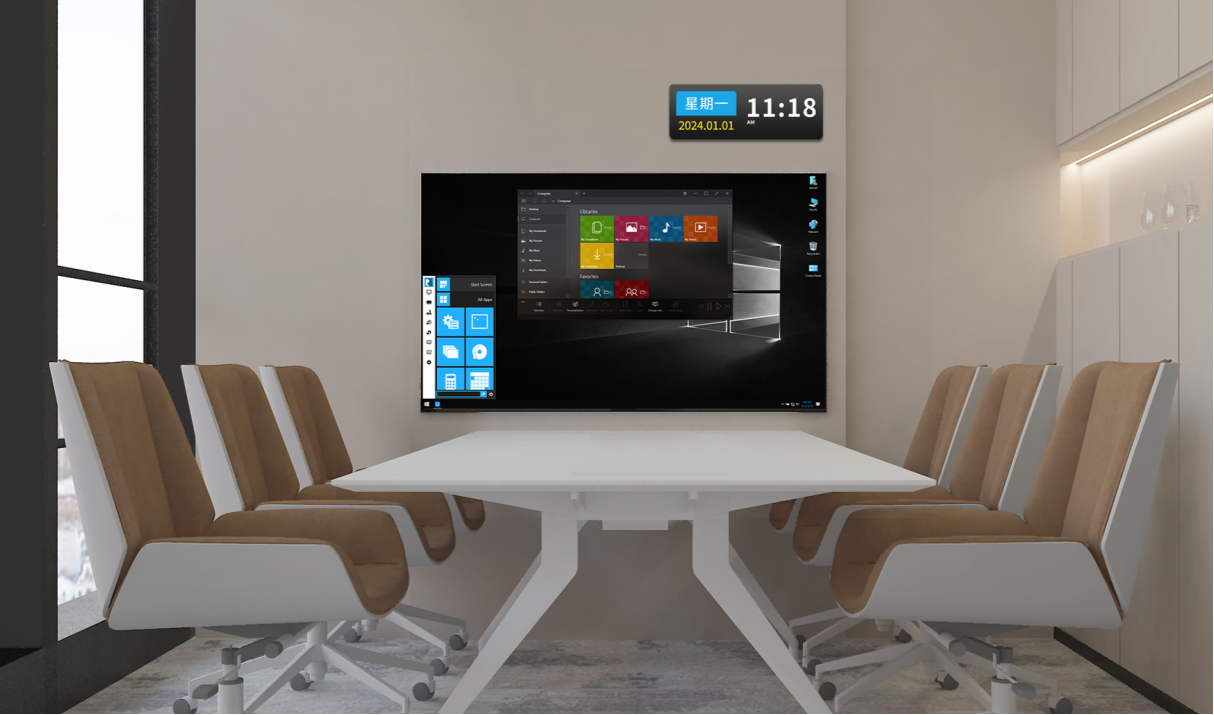
Looking for the best conference room presentation systems wireless presentation system for conference room wireless prese? Here are the top 10 picks for 2025:
iDste NC-HP
Barco ClickShare CSE-800
Barco ClickShare CX-30
Barco ClickShare CX-50
Barco ClickShare C-10
BENQ InstaShow WDC10
Kindermann K-FX (Klick&Show)
Solstice by Mersive
OREI WHD-VCP2T-K
Kramer VIA GO2
You want a system that keeps meetings smooth and interactive. Wireless solutions let you and your team share screens fast, collaborate in real time, and boost productivity. The global market for these systems is set to hit $2.5 billion in 2025, with hybrid work and BYOD trends driving rapid growth.
Key Takeaways
Wireless presentation systems simplify meetings by allowing users to share screens without cables, enhancing collaboration and productivity.
Choose a system based on your room size and capacity; larger rooms need systems that support more users and higher resolutions.
Look for universal compatibility to ensure all devices can connect easily, making it convenient for everyone in the meeting.
Prioritize user-friendly features like one-touch presenting to minimize technical issues and keep meetings running smoothly.
Consider security features such as data encryption and network isolation to protect sensitive information during presentations.
Wireless Presentation System for Conference Room: What & Why
Definition and Core Features
You might wonder what makes conference room presentation systems wireless presentation system for conference room wireless prese so important. These systems let you share your screen from a laptop, tablet, or phone to a big display or projector—no cables needed. You just walk into the room, connect to the Wi-Fi, and start your presentation. It’s that simple.
Here’s what you get with most wireless presentation systems:
Share content wirelessly from any device—laptop, tablet, or smartphone.
No messy cables or dongles cluttering up the table.
Easy setup, so you spend less time getting ready and more time presenting.
Works with all kinds of devices and operating systems.
Let’s look at some core features in a quick table:
Feature
Description
Cross-Compatibility and Versatility
Connects with many devices and operating systems.
Enhanced Collaboration
Lets several people share screens at once.
Security and Encryption
Protects your information while sharing.
Quality and Latency
Delivers clear video and sound without lag.
Seamless Network Integration
Works with your company’s network and allows guest access.
User Management and Access Control
Lets you control who can present and when.
Benefits for Conference Room Collaboration
When you use conference room presentation systems wireless presentation system for conference room wireless prese, you make meetings smoother and more interactive. You don’t waste time plugging in cables or switching devices. Everyone can join in, no matter what device they use.
Improved meeting efficiency—share your screen instantly.
Better user experience—present from your favorite device.
Less work for IT—no more fixing cable problems.
Multi-device teamwork—several people can share at once.
Strong security—your data stays safe.
Easy to scale—works for small rooms or big spaces.
Tip: These systems also work with popular web conferencing tools, so you can run hybrid meetings with people in the room and online.
You’ll find that conference room presentation systems wireless presentation system for conference room wireless prese help everyone stay focused and engaged. Meetings become more productive, and your team can collaborate in real time.
How to Choose the Best Wireless Presentation System
Choosing the right wireless presentation system can feel tricky, but you can make it simple by focusing on a few key areas.
Room Size & Capacity
Start by thinking about your meeting space. The right system depends on how many people use the room and what you need to display. Here’s a quick guide:
Room Type
Suggested Features
Huddle Room
Quick setup, mobile-friendly, 1-2 users
Medium Meeting Room
2-4 user support, touch displays, integrated audio
Executive Boardroom
High resolution, dual display, secure access
Training Rooms
Multi-screen sharing, annotation, voice support
If you have a big boardroom, look for high resolution and dual display. For small huddle rooms, pick something fast and mobile-friendly.
Take time to review your needs. Think about data security, simple setup, and collaboration. Try a demo or talk with your IT team. A reliable system saves meeting time and keeps your conference room ready for the future.
FAQ
What devices can I use with a wireless presentation system?
You can use laptops, tablets, and smartphones. Most systems work with Windows, Mac, iOS, and Android. Some even support Chromebooks. Just check the compatibility list before you buy.
Do I need to install software to present wirelessly?
Some systems need you to install an app. Others let you connect with a button or web browser. If you want a plug-and-play experience, look for systems that don’t require extra software.
Is my data safe when I share my screen?
Yes, most modern systems use strong encryption to keep your data safe. Always check for security features like password protection and network isolation.
Can guests present without joining my company network?
Many systems offer guest modes. Guests can connect using a separate Wi-Fi or a hardware button. This keeps your main network secure and makes sharing easy.
How do I fix connection problems during a meeting?
Try these quick steps:
Restart your device.
Check Wi-Fi strength.
Make sure you selected the right input on the display. If problems continue, ask your IT team for help.
Click the button to contact us for more information