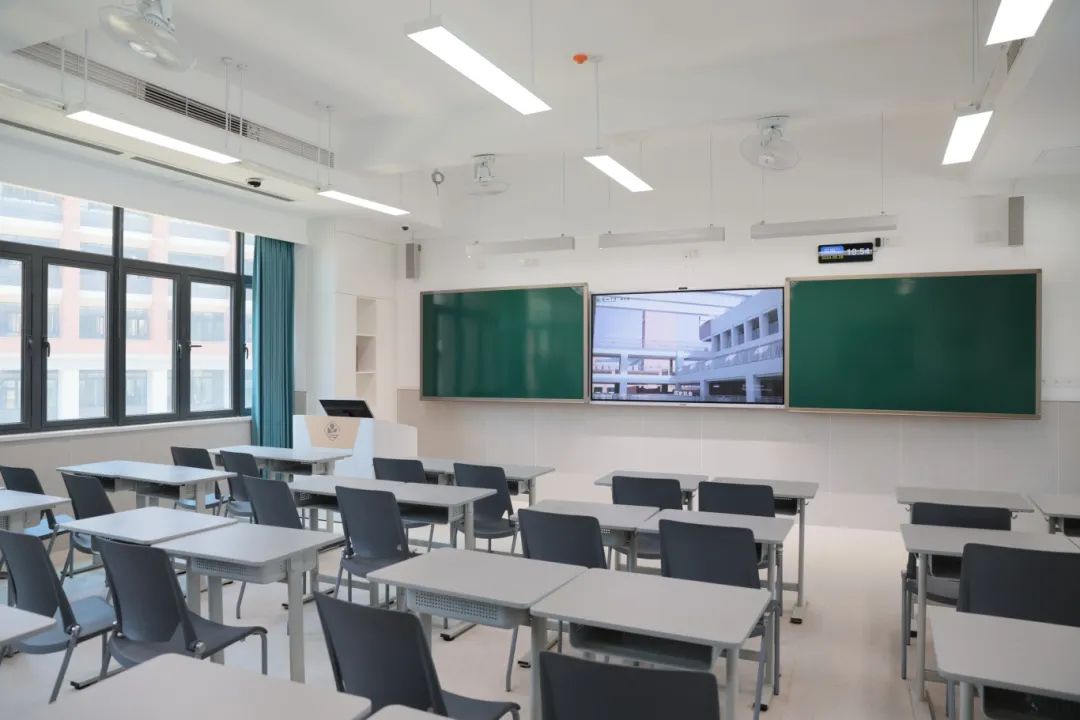
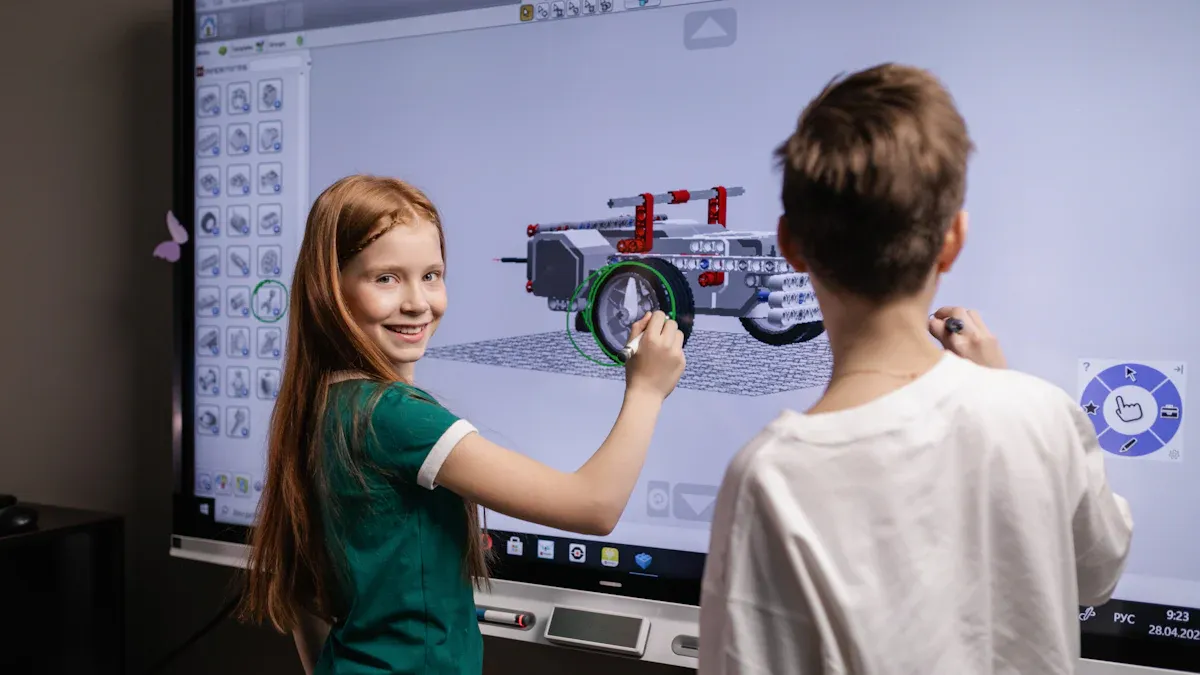
In today’s schools, touch screen TV classroom technology is transforming the way students and teachers interact. These interactive TV classroom solutions function as large, touchable displays that respond to your touch, similar to a giant tablet or smartphone. With interactive TV in the classroom, you and your classmates can stay engaged and actively participate in lessons, making learning new concepts more dynamic. The adoption of interactive TV fo classrooms is on the rise due to rapid digitization, the impact of COVID-19, and strong government support.
Factor Influencing Adoption
Description
Technological Advancements
Rapid digitization in education is driving schools to implement touch screen TV classroom and interactive TV classroom technologies.
COVID-19 Impact
The pandemic has increased the need for flexible teaching solutions, boosting the use of interactive TV in the classroom.
Government Initiatives
Public-private partnerships are accelerating the rollout of interactive TV fo smart classrooms.
Key Takeaways
Interactive touch screen TVs transform classrooms by making lessons engaging and hands-on. Students can touch, swipe, and draw on the screen, enhancing their learning experience.
These TVs support collaboration among students. Multiple users can interact with the screen at the same time, promoting teamwork and shared learning.
Teachers can create interactive lessons using educational apps. This approach allows students to participate actively, receive instant feedback, and explore topics in depth.
Interactive TVs offer better image quality and usability compared to traditional projectors and whiteboards. They provide clear visuals and require less maintenance, making them a smart investment for schools.
Proper installation and training are crucial for maximizing the benefits of interactive TVs. Schools should plan carefully and ensure teachers are equipped to use the technology effectively.
You might wonder what makes an interactive TV classroom different from a regular classroom with a TV. In an interactive TV classroom, you use a large touch screen TV that acts like a giant tablet. You can touch, swipe, and draw directly on the screen. This technology lets you and your classmates take part in lessons in new ways.
Teachers use these screens to show lessons, videos, and interactive activities. You can write answers, draw diagrams, or move objects on the screen with your fingers. This hands-on approach helps you understand lessons better and makes learning more fun.
Teachers present lessons, videos, and interactive content.
Student Interaction
You write, draw, and engage with digital content hands-on.
Collaborative Learning
You work with classmates on group projects or brainstorming sessions.
Tip: When you use an interactive tv in the classroom, you become an active part of the lesson, not just a listener.
Key Features of Interactive TV in the Classroom
Interactive TVs for classrooms come with many features that make them powerful learning tools. These features help you and your teacher get the most out of every lesson.
Touch Sensitivity: You can interact with the screen smoothly, just like on a smartphone.
Connectivity Options: The screen connects easily to laptops, tablets, and projectors.
Durability: The screens are tough and can handle daily use in busy classrooms.
High-Definition Displays: Clear visuals help you see details in lessons and videos.
Advanced Multitouch Technology: Several students can use the screen at the same time.
Built-in Software Tools: You get tools for lesson planning, drawing, and interactive games.
Integration with Existing Devices: The screen works with other classroom technology.
Real-time Updates: The screen can show announcements and school events instantly.
Interactive Lessons: Teachers can create quizzes and activities that you answer on the screen.
Accessibility Features: The screen supports assistive technology for students with special needs.
Let’s see how interactive TVs compare to traditional displays:
Feature
Interactive Touch Panels
Traditional Displays
User Interaction
Direct touch input with gestures, taps, and swipes
Needs a keyboard or mouse
Technology
Uses touch sensors like capacitive or infrared
Uses LCD, LED, or OLED
Engagement
Makes lessons interactive and engaging
Focuses on showing images and videos
Cost
Usually more expensive due to touch features
Less expensive for basic visuals
Practical Applications
Used in classrooms, museums, and conference rooms
Common in gaming and home entertainment
You will notice that interactive tv fo classrooms offer more ways for you to join in and learn. You do not just watch; you participate. This makes lessons more exciting and helps you remember what you learn.
How Interactive TV Classroom Technology Works
Touch and Gesture Technology
You interact with a touch screen tv classroom interactive tv classroom using your fingers, just like you do with a tablet or smartphone. The technology behind these screens makes every tap, swipe, and gesture count. Two main types of touch technology power these devices: Infra-Red and Projected Capacitive (PCAP).
Infra-Red and Surface Light Wave Technology are two of the most common touch technologies found on Interactive Flat Panels today. The way they work is by casting an invisible grid across the surface of the panel. When you touch the screen, you break the infra-red line of sight across the X and the Y axis creating a coordinate. The computer converts this coordinate into a mouse position.
Infra-Red technology uses a grid of invisible beams. When you touch the screen, you break the beams, and the computer knows exactly where you touched. PCAP technology works by sensing changes in electrical current when your finger touches the glass. This gives you a smooth, fast, and accurate response.
Detects touch by interrupting infrared beams emitted by LEDs, forming a grid on the surface of the overlay.
Capacitive
Relies on changes in electrical current when a finger touches the screen, with a layer of transparent electrode film.
You can use gestures like pinching to zoom, swiping to move objects, or tapping to select answers. These actions make lessons more interactive and fun.
Hardware and Software Integration
The hardware and software inside interactive tv in the classroom work together to create a powerful learning tool. The screen connects to computers, tablets, and the internet. You can use educational apps, draw with digital ink, and access a library of lessons.
Enables users to interact with content through annotations, drawing, and manipulation.
Collaboration
Supports simultaneous work by multiple users and remote participants.
Productivity
Integrates with existing tools and streamlines workflows for saving and sharing content.
Versatility
Adapts to various educational use cases, enhancing teaching and learning experiences.
Interactive Lesson Creation
Allows teachers to create multimedia-rich lessons with assessment tools.
Gamification
Incorporates game-based activities to enhance student engagement.
Student Device Integration
Enables students to connect their devices for real-time participation and collaboration.
Digital Ink and Annotation
Provides natural writing and drawing tools for content annotation.
Content Library
Offers access to pre-made lessons and educational resources.
Cloud Integration
Facilitates lesson access and delivery from any device, integrating with Google Workspace and Microsoft 365.
Remote Learning Support
Supports hybrid learning by allowing participation from both in-person and virtual students.
You and your classmates can work together on group projects, solve problems, and share ideas. Teachers use apps to create quizzes, games, and interactive lessons. The interface is easy to use, so you can focus on learning instead of figuring out how the technology works.
You experience a new way to learn when you use interactive TV in the classroom. The screen responds to your touch, so you can take part in lessons instead of just watching. You can answer questions, draw diagrams, and move objects on the screen. This hands-on approach helps you stay focused and interested.
Interactive TVs create a familiar environment for you. You already use tablets and smartphones, so you feel comfortable with the technology. You become part of the lesson, making decisions and sharing ideas. You learn by doing, which helps you remember information better.
Tip: When you interact with the screen, you become an active learner. You do not just listen; you participate.
Here are some ways interactive TVs boost engagement and active learning:
You use touch and gestures to solve problems and answer questions.
You work with classmates on group activities.
You see instant feedback when you complete quizzes or games.
You explore lessons using videos, images, and interactive maps.
Interactive TVs support many active learning strategies. The table below shows how these features help you learn:
You share ideas and content from your own device, right from your seat.
Personalized Learning
Teachers create lessons that let you explore and research topics.
Whiteboarding Software
You use a blank canvas to brainstorm and develop new ideas.
Multi-Touch Capability
The screen detects many touch points, so group activities are easy and fun.
Wireless Screen Sharing
You and your classmates can show your work on the screen together.
Multimedia Integration
Teachers add videos and pictures to help you understand lessons.
Collaboration and Educational Apps
You learn better when you work with others. Interactive TVs make it easy for you to collaborate with classmates. You can join group projects, share your ideas, and see what others are doing in real time. The screen supports many users at once, so everyone can participate.
Research shows that multi-touch displays help you and your classmates work together. You feel more engaged and enjoy learning when you see what others are doing. You learn from each other and build teamwork skills.
Your gaze patterns match better learning outcomes.
Collaboration helps you understand lessons.
Educational apps make learning even more interactive. You use apps to play games, solve puzzles, and create projects. These apps help you learn new skills and work with classmates.
Some popular educational apps you might use with interactive TVs include:
Kahoot!: You answer quiz questions and get instant feedback.
Jamboard: You brainstorm and share ideas on a digital whiteboard.
Padlet: You showcase your work and join group projects.
Duolingo: You learn new languages through fun games.
Minecraft Education Edition: You solve problems and learn across subjects.
Scratch: You create interactive stories and learn programming.
You get a classroom where everyone can join in, share ideas, and learn together. Interactive TV fo helps you become an active learner and a better teammate.
Comparing Interactive TV Classroom Solutions
Interactive TV vs. Projectors
You see big differences when you compare interactive TVs and projectors in your classroom. Interactive TVs give you sharp images with high contrast and pixel density. You read text easily, even in bright rooms. Projectors often struggle with image quality and readability if the lights are on. You get more touch points with interactive TVs, so several students can work together at once. Projectors usually allow fewer touch points, which limits group activities. You also notice better sound from interactive TVs because they have stronger speakers. You can adjust the height of interactive TVs, while projectors stay fixed in one spot.
You should also think about cost. Interactive TVs cost more than projectors, but you get better features and longer-lasting technology.
Type of Display
Approximate Cost
Ultra-short throw projector
£1,450
Non-touch classroom display
£1,550
Interactive touchscreen
£2,100
Interactive TV vs. Whiteboards
You notice more advantages with interactive TVs compared to interactive whiteboards. Interactive TVs work well in any lighting because they are backlit. You use your fingers to interact, while whiteboards often need a stylus. Interactive TVs can run on their own with built-in computers, but whiteboards need a connected device. You get more touch points for group work with interactive TVs. You spend less on maintenance because you do not need to replace bulbs or calibrate the screen. You avoid calibration problems, which makes interactive TVs easier to use.
Interactive TVs let you see clearly in bright rooms.
You interact directly with your fingers.
You use built-in computers for lessons.
You work with more classmates at the same time.
You save money on maintenance and energy.
You do not need to calibrate the screen.
Pros and Cons
You find many benefits with touch screen tv classroom interactive tv classroom interactive tv in the classroom interactive tv fo solutions. You get better image quality, more interactivity, and easier collaboration. You also face some challenges. Teachers may need to change how they teach. Some classrooms need bigger screens for everyone to see. Sometimes, teachers use a physical whiteboard along with the TV, which can interrupt lessons.
Tip: Choose the solution that fits your classroom size, teaching style, and budget. Think about how you want students to interact and learn.
Practical Considerations for Interactive TV Fo Schools
Installation and Setup
You need to plan carefully when you install interactive TVs in your school. The process involves several steps to make sure everything works smoothly. Here is a simple guide to help you understand what happens during installation:
Display Screens: You select strong LCD or LED screens that can handle daily use in busy classrooms.
Media Players: You choose media players that store and play lesson content without delays.
Content Management Software (CMS): You set up a CMS to create, schedule, and manage lessons. This software lets you update content from anywhere.
Interactive Interfaces and Sensors: You install touchscreens and sensors so students can interact with lessons using their fingers and gestures.
Tip: Work with a professional installer to make sure your touch screen tv classroom interactive tv classroom interactive tv in the classroom interactive tv fo system is safe and ready for learning.
You should also check the classroom layout. Make sure every student can see the screen clearly. Test the internet connection and power supply before you start using the system.
Cost and Training
You need to think about your budget before you buy interactive TVs for your school. The price depends on the size and features of the screen. Most interactive whiteboards for classrooms cost between $3,000 and $6,000 for models that measure 65 to 75 inches. Some smartboards cost as little as $1,500, but advanced models with more features can cost over $8,999.
You pay more for bigger screens and extra features.
You save money on maintenance because these screens last longer than projectors.
Training is important for teachers and staff. You should set up training sessions so everyone learns how to use the new technology. Teachers need to know how to create interactive lessons, use educational apps, and manage student participation.
Consideration
What You Should Do
Budget Planning
Compare prices and choose the best model.
Teacher Training
Schedule hands-on workshops.
Maintenance
Plan for regular cleaning and updates.
Technical Support
Make sure help is available if needed.
Note: Regular maintenance and support keep your system running well. Clean the screens often and update the software to avoid problems.
Constant use of your edtech equipment can ensure a swift return on investment (ROI).
You should plan carefully before you install new technology.
Factor
Description
Environmental Considerations
Check classroom size and layout.
Training
Make sure teachers know how to use the screens.
Cost
Compare prices and features.
Experts recommend starting with pilot programs and measuring engagement. The demand for interactive displays keeps growing as schools move toward digital learning. You can help your school modernize by exploring options and choosing what fits your needs best.
FAQ
How do you clean an interactive touch screen TV in your classroom?
Use a soft, dry microfiber cloth to wipe the screen gently. Avoid using harsh chemicals or water. If you see fingerprints, use a screen-safe cleaner. Always turn off the device before cleaning.
Can you use your own device with the classroom interactive TV?
Yes, you can connect your laptop, tablet, or smartphone to most interactive TVs. Many models support wireless screen sharing. Ask your teacher for instructions if you want to share your work.
What happens if the touch screen stops working during class?
Stay calm. Tell your teacher right away. Most issues fix with a quick restart. If the problem continues, your school’s tech support team can help.
Are interactive TVs safe for students to use every day?
Interactive TVs meet safety standards for schools. The screens use low-glare glass and sturdy frames. You can use them daily without worry. Teachers supervise use to keep everyone safe.
Click the button to contact us for more information