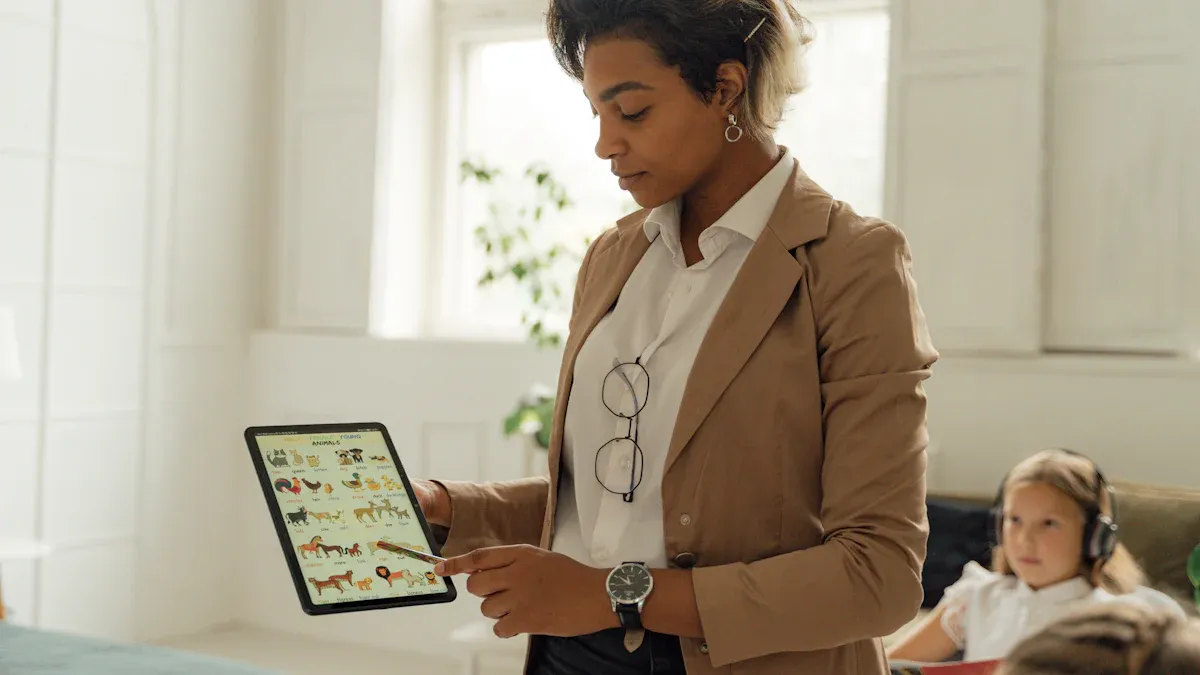
You need smart classroom IP boardcast solutions that work for all schools. Some top choices for smart classroom IP boardcast are iDste, ATEN, Broadcast Pix, Dsppa, Kramer, AVer, BXB, Skywire, BenQ, and Datavideo.
iDste stands out because its smart classroom IP boardcast system is built right into the smart classroom terminal. There’s no need for extra devices, which saves space and reduces costs for your school.
Smart classroom IP boardcast technology helps your school share lessons quickly and clearly. You want solutions that can grow with your school, work with your school’s systems, and allow teachers to manage broadcasts with ease.
Key Takeaways
Smart classroom IP broadcast systems use audio and video. They help students learn better and join in more. These systems make lessons more fun and easy to follow.
These systems help with hybrid and remote learning. They stream live classes and record lessons. Students can watch at school or at home.
Integrated solutions like iDste save space and money. They put IP broadcast features inside smart classroom terminals. You do not need extra devices.
IP broadcast systems can grow with your school. You can add more devices and users easily. They work with equipment you already have. This helps save money.
Good IP broadcast solutions are easy for teachers to use. They keep data safe with strong security. They work well every day and do not break down.
You want students to pay attention and have fun in class. Smart classroom IP broadcast systems help make learning exciting. These systems use audio and video to make lessons interesting. Teachers can show videos and share slides. They can use screens that students can touch. This helps students ask questions and talk with others right away. When you use both sound and pictures, lessons become more fun for everyone.
Hybrid and Remote Learning
Many schools teach students in class and at home. IP broadcast technology helps make this work. PTZ cameras, matrix switchers, and USB capture devices help you record and share good video and sound. These tools let you talk to students on Zoom or Teams. You can change camera views and show your board or screen. This system sends audio and video to the whole school and to students far away. You can control everything on the network. This makes it easy to set up hybrid classrooms. For example, iDste’s system has IP broadcast inside the smart classroom terminal. You do not need extra gear. This saves space and money for your school.
IP broadcast systems let you:
Record lessons from different angles for all students.
Stream live and set up classrooms in many ways.
Use the system in every part of the school.
Efficient Content Delivery
You need to share lessons and news fast and clearly. IP-based systems make sharing easy. These systems use audio and video to send lessons and updates to every class. Schools can use IPTV to give students good, interactive content. This way, audio and video go to many devices at once. It also means you need fewer wires and tools. Studies show these systems help teachers share lessons better. Even schools far away can use satellite IP broadcast to reach all students. With a strong system, your school can keep everyone informed and make sure no one misses out.
Key Features of IP Broadcast Solutions
Scalability and Flexibility
Schools need systems that can grow over time. Scalability lets you add more channels or users easily. You do not have to change everything. Flexibility means you can change content for each class. You can use many devices with the system. Here are some ways these features help:
You can make your IPTV system bigger as your school gets larger.
You can change lessons to match what students need.
You can watch live or saved lessons on tablets, laptops, and smart boards.
You can send audio and video to small classes or big halls.
You save money because you only upgrade what is needed.
iDste’s IP broadcast system is inside the smart classroom terminal. You do not need extra devices. This saves space and helps your school spend less.
Integration with Existing Systems
You want your new system to work with old equipment. Integration means you do not need lots of new wires or hardware. Many schools have old intercoms and different brands. Many IP solutions work with these older systems. You can upgrade step by step. Here are some tips for better integration:
Check what you have now to see what you can use.
Use IP-based paging to help with emergencies.
Pick solutions that connect to your school’s network and security.
Upgrade slowly to save money and avoid problems.
User Experience
Teachers and students should like using the system. Good audio visual tools make lessons more fun. Teachers want easy systems so they can teach better. Here are features that help user experience:
Schools must keep data safe. IP broadcast systems need to stop threats from inside and outside. Here is a table with common problems and ways to fix them:
Schools want systems that do not cost too much. IP broadcast solutions can help save money. Here is a table with cost details:
Cost Aspect
Details / Figures
Initial Investment
$18–$22 per classroom for IP to Coaxial Converters vs. $300–$500 for new Cat6 rewiring
Cost Savings
40% to 60% less for audio visual setup by using old coax cables
Maintenance Savings
72% fewer cable repairs after retrofit
ROI Timeline
8 to 14 months due to less interference and longer cable life
Large Project Example
$310,000 for 58 lecture halls using old coax cables
Benefits of IP to Coaxial
4K video, control of 1,200 displays, 94% less latency
Additional Notes
Saves money, less disruption, lower maintenance
Fiber optic systems cost more at first. They need special workers to keep them running. Many schools look for grants or partners to help pay for upgrades.
Top Smart Classroom IP Broadcast Solutions
iDste
You can pick iDste for your smart classroom IP broadcast needs. The IP broadcast system is inside the smart terminal. You do not need extra devices. This helps save space and lowers costs for your school. The TM-03 terminal has a gigabit switch, IoT gateway, and audio/video encoding and decoding. You get one-click live streaming and recording for classes. Equipment turns on automatically. You can manage everything from a system platform or applet. The built-in IP intercom module lets you make voice calls. You can monitor classrooms and supervise online classes. You can control lights, fans, air conditioners, and curtains with scene linkage. Wireless microphones and one-click setup make teaching easier. The system saves live courses automatically. It works with many resource management platforms. Campus radio integration supports broadcasts across the district and smart campus broadcasting.
Pros:
Integrated design saves space and money
Easy one-click broadcast and recording
Centralized control of classroom and IoT devices
Supports remote management and monitoring
Automatic archiving and resource sharing
Cons:
May need training to use all features
Only works with compatible smart terminals
Best Use Cases:
Schools that need to save space
Districts wanting centralized control
Classrooms with lots of IoT devices
ATEN
ATEN gives you flexible and scalable IP broadcast solutions for schools. You can add new devices as your school grows. The system supports AV and USB over IP transmission. Teachers and students can share and control content together. BYOD lets you use your own devices for learning. You get professional livestreaming with multi-camera switching and content annotation. The control system is easy to use. It supports high-resolution 4K video. ATEN works with current control systems and digital education networks. Power over Ethernet helps with power limits in classrooms. The system supports many types of connections and long-distance signal transmission.
Pros:
Flexible and scalable for future growth
Interactive learning and collaboration
High-quality video and easy control
Integrates with current school networks
Cons:
May need network upgrades for all features
Advanced features may need technical support
Best Use Cases:
Schools with growing technology needs
Classrooms using lots of multimedia devices
Hybrid and interactive learning environments
Broadcast Pix
Broadcast Pix gives you IP broadcast solutions for making professional video content. You can use many cameras and switch between sources easily. The system supports live streaming and recording. You can share lessons with students in class and at home. Broadcast Pix works well for schools that want high-quality educational videos. The system has tools for graphics, annotation, and remote control.
Pros:
Professional video production features
Supports live streaming and recording
Easy source switching and annotation
Cons:
May be hard for beginners
Needs cameras and equipment
Best Use Cases:
Schools making educational videos
Classrooms with video production needs
Hybrid learning setups
Dsppa
Dsppa’s IP broadcast system gives you centralized management for your school. You can control broadcasts in different zones and across the campus. The system supports multi-zone coverage, emergency alerts, educational content, and background music. Automated scheduling lets you set bells, national anthems, and exercises for your timetable. You can monitor and adjust broadcast volume and content in real time. Remote operation from the principal’s office means you do not need control rooms on site. The system is scalable and reliable, with backup for power and network. Dsppa uses your school’s network, which lowers installation costs.
Kramer
Kramer gives you IP broadcast solutions for smart classrooms. You can manage audio and video in many rooms. The system supports wireless presentation and device control. Kramer works with your school’s network. Kramer’s solutions are good for schools that want flexible AV management and easy device integration.
Pros:
Flexible AV distribution
Wireless presentation support
Integrates with current school networks
Cons:
May need network upgrades
Some features need technical setup
Best Use Cases:
Schools with lots of AV devices
Classrooms needing wireless presentation
Multi-room AV management
AVer
AVer’s IP broadcast technology uses AI-powered cameras with 4K resolution and strong zoom. You get easy integration with Learning Management Systems and video platforms for hybrid learning. The TR315 AI Auto Tracking Camera keeps teachers in view. Content creation is easy. Dual USB and IP output give you flexible streaming and recording options. AVer’s encoder device is simple to set up and use. You can broadcast school announcements and events to unlimited viewers online. The system supports streaming platforms like Facebook Live, YouTube, and Twitch. The compact design combines many streaming devices in one box.
Pros:
AI-powered cameras and auto tracking
Easy setup and operation
Flexible streaming and recording
Supports many streaming platforms
Cons:
May need investment in cameras
Advanced features may need training
Best Use Cases:
Schools with hybrid learning needs
Classrooms needing high-quality video
Events and announcements
BXB
BXB’s IP broadcast system gives you ultra-low latency and high AV transmission quality. You get 4K ultra-HD visuals and flexible configuration with unlimited receiver and transmitter expansion. The Web GUI is easy to use for system management. BXB supports live streaming platforms like YouTube, Facebook, and Twitch. The VT-725 controller uses AI-powered video tracking to keep speakers centered. You can share existing networks to save costs. You may need network expansion if traffic is high. The system uses LAN-based JPEG 2000 transmission for security. You can record and live stream at the same time. Recordings can be saved inside or outside the system.
Feature / Limitation
Description / Explanation
Ultra-low latency
Ensures real-time AV transmission suitable for interactive educational environments.
Premium AV transmission quality
High-quality audio and video delivery, supporting 4K ultra-HD resolution for clear visuals.
Flexible configuration
Supports unlimited expansion of receivers and transmitters, allowing scalable deployment in educational settings.
Intuitive Web GUI
User-friendly interface for easy system management and configuration.
Support for multiple live streaming platforms
Compatible with platforms like YouTube, Facebook, Vimeo, Twitch, and 100+ others via RTMP, HLS, RTSP, and TS protocols.
AI-powered video tracking
VT-725 controller provides AI-based person tracking to keep speakers centered, enhancing engagement in classrooms.
Network sharing with cost saving
Can share existing networks to reduce construction costs, but requires traffic evaluation before use.
Limitation: Network expansion may be needed
If network traffic and usage are high, expansion of the shared network is necessary to maintain performance.
Security
Uses LAN-based JPEG 2000 transmission, which is secure and isolated from external networks.
Recording capabilities
Supports simultaneous recording and live streaming; recordings can be saved internally (1TB HDD) or externally (USB flash).
Pros:
Real-time AV transmission
Scalable and flexible configuration
AI-powered tracking and security
Supports many streaming platforms
Cons:
May need network expansion for heavy use
Advanced features may need technical support
Best Use Cases:
Schools with interactive learning needs
Classrooms needing real-time AV
Large campuses with many devices
Skywire
Skywire gives you IP broadcast solutions for smart classrooms with wireless AV transmission. You can send audio and video across classrooms without cables. The system supports high-definition streaming and easy device integration. Skywire works well for schools that want wireless solutions and flexible classroom setups.
Pros:
Wireless AV transmission
Easy device integration
Supports high-definition streaming
Cons:
Wireless networks may need upgrades
Limited advanced control options
Best Use Cases:
Schools needing wireless solutions
Classrooms with flexible layouts
Temporary or mobile classrooms
BenQ
BenQ gives you IP broadcast solutions for smart classrooms with interactive displays and AV management. You can share lessons, videos, and announcements across classrooms. The system supports wireless screen sharing and device control. BenQ’s interactive displays help you make fun lessons and support hybrid learning.
Pros:
Interactive displays and AV management
Wireless screen sharing
Supports hybrid learning
Cons:
Large displays may not fit all rooms
Advanced features may need training
Best Use Cases:
Schools with interactive teaching needs
Classrooms using many devices
Hybrid learning environments
Datavideo
Datavideo’s IP broadcast solution works well for hybrid classrooms. You can mix live teacher video feeds with presentation content like PowerPoint. Teachers can switch between camera views and slides using simple touchscreen controls. The system supports live streaming and high-definition recording. Students can review lessons later. AI tracking PTZ cameras follow the teacher’s movements. Visuals stay clear. The equipment is small and portable, so it fits different classroom sizes. You can manage the system easily, even if you are new to video production. Datavideo supports blended learning. It combines physical and online classrooms for interactive and efficient learning.
When you look at ip-based public announcement systems, check key features. You want a system that combines audio, control, and security cameras. This helps keep your school safe. It also makes daily jobs easier. Remote access lets you send messages from anywhere. You do not have to be in the building. Flexible zoning lets you send different messages to places like the gym or library. Built-in checks tell you if a speaker stops working. Emergency override makes sure everyone hears important messages. Two-way intercom lets staff talk right away. Using your school’s network for audio saves money. Digital transmission makes sound better and stops interference. Scalability means you can add more rooms as your school grows. Simple controls help teachers and staff use the system easily. You should think about installation costs and support. iDste’s ip-based public announcement system is inside the smart classroom terminal. You do not need extra devices, so you save space and money.
Tip: Always make sure your school pa system covers every area. Zone control lets you send messages only where needed.
Works with security, alarms, and information systems
Limited integration
Scalability
Easy to expand, flexible
Needs new wiring for expansion
Installation & Maintenance
Needs network and technical skills
Easier for technicians familiar with analog
Cost
Higher at first, better long-term flexibility
Lower at first, less flexible
You get better safety and communication with an ip-based school intercom system. You can send announcements to any room or zone. You can schedule bells and control volume. You can manage everything from a computer or phone. The system supports emergency alerts and mass notifications. You must plan for installation and maintenance, especially if you upgrade from analog.
Best Use Cases
K-12 schools and colleges benefit most from ip-based public announcement systems. These systems work well for daily announcements and emergencies. They help with schedule management too. You can use zone paging to send messages to certain areas, like hallways or libraries. Wireless systems help schools with many buildings or modular classrooms. You can manage the school pa system from one place. This makes it easy to respond fast. An ip-based school intercom system lets staff talk both ways during emergencies. Schools with big campuses or many buildings can grow their system over time. iDste’s solution is great for schools that want to save space and money, since it is inside the smart classroom terminal.
How to Choose the Right IP Solution
Assessing Needs
You want to pick an IP broadcast system that fits your school. Start by mapping every area, including classrooms, libraries, gyms, and outdoor spaces. Make sure no location is missed. List all devices that will connect, such as tablets, laptops, and BYOD devices. Count how many devices each student and teacher might use. Think about what you need for educational uses, like video streaming, online exams, and special events. These activities can increase bandwidth and affect how fast your system works. Walk through your school and check for dead zones or places with weak signals. Look for areas with lots of devices, like cafeterias. Design your network to support the highest number of devices, not just the farthest reach. Place access points in central spots so students and teachers can move around without losing connection. If you choose iDste’s IP broadcast system, you get everything inside the smart classroom terminal. You do not need extra devices, which saves space and lowers costs for your school.
Tip: Always plan for high-density areas. Cafeterias and auditoriums need more access points to keep connections strong.
Planning for Growth
Your school will change over time. You need a system that grows with you. Look for solutions that let you add more devices and users easily. Artificial intelligence and automation help you manage broadcasts without needing special skills. Virtual production and augmented reality are becoming common in classrooms. These tools need new skills, like real-time rendering and camera tracking. Cloud services make it easier for smaller schools to use advanced tools. Flexible licensing lets you pay for what you need. Blending old broadcast skills with new technology helps your team work better. Keep learning about new devices and software. Training programs help you and your staff stay up to date. iDste’s system supports easy upgrades because it is built into the smart classroom terminal.
Stakeholder Involvement
You need everyone in your school to help choose the right IP broadcast system. Ask teachers, IT staff, and students what they need. Get feedback from parents and school leaders. Hold meetings to talk about problems and goals. Make sure the system supports all users and fits your school’s budget. Involve your IT team early so they can plan for installation and support. When you include everyone, you get a system that works for your whole school and supports future growth.
You have many strong choices for smart classroom IP broadcast systems. Solutions like iDste, ATEN, and MAXHUB offer easy control, flexible growth, and strong integration.
iDste stands out because its IP broadcast system works inside the smart classroom terminal. You do not need extra devices. This saves space and lowers costs.
Tip: Always match your system to your school’s needs. Reach out to vendors like iDste for a demo. Stay updated on new classroom technology for the best results.
FAQ
What is an IP broadcast system in a smart classroom?
An IP broadcast system lets you send audio and video to many classrooms using your school’s network. You can share lessons, announcements, and emergency alerts quickly and clearly.
How does iDste’s IP broadcast system save space and money?
iDste’s system works inside the smart classroom terminal. You do not need extra devices. This design saves space in your classroom and lowers your school’s setup costs.
Can you use an IP broadcast system with old school equipment?
Yes, many IP broadcast systems work with older intercoms and speakers. You can upgrade step by step. This helps your school save money and avoid big changes all at once.
Is it hard for teachers to use these systems?
No, most systems have simple controls. Teachers can start broadcasts or record lessons with one click. Training helps everyone feel comfortable using the new tools.
What should you check before choosing an IP broadcast solution?
Make a list of your school’s needs. Check your current devices and network. Think about future growth. Ask vendors for a demo. iDste offers a built-in solution that fits many schools.
Click the button to contact us for more information